

Instead of endless copy-paste and errors
Finally understand Excel!
Learn the logic behind Excel: explained clearly, with a modern, practical approach. Instead of relying on outdated solutions or formulas from blog posts, discover how Excel really thinks — so you can confidently build your own reliable, error-free solutions.
- Modern Excel
- Data Visualization
- Automation
Excel Courses That Make a Real Difference
Our course benefits
happy customers
1,000+
Professionals who truly master Excel
Rated 4.94 out of 5 — because learning works better when it is fun, too.
MODERN EXCEL
LEARNING EXPERIENCE
The following companies train their employees with MindfulExcel.






DESIGN MEETS FUNCTION
Visual Learning Makes the Difference
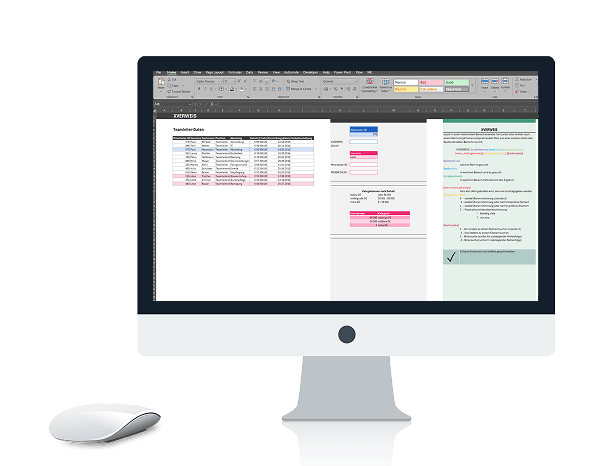
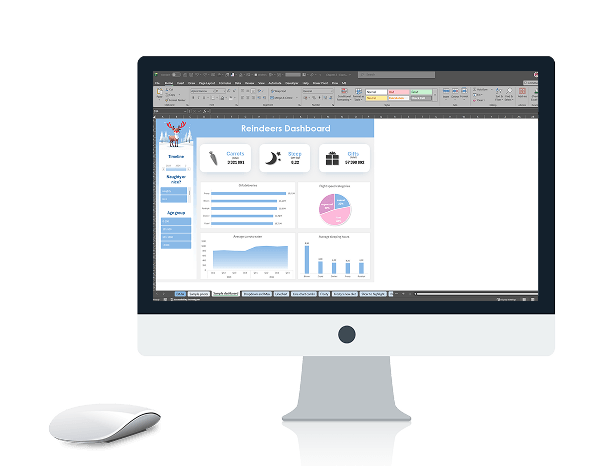
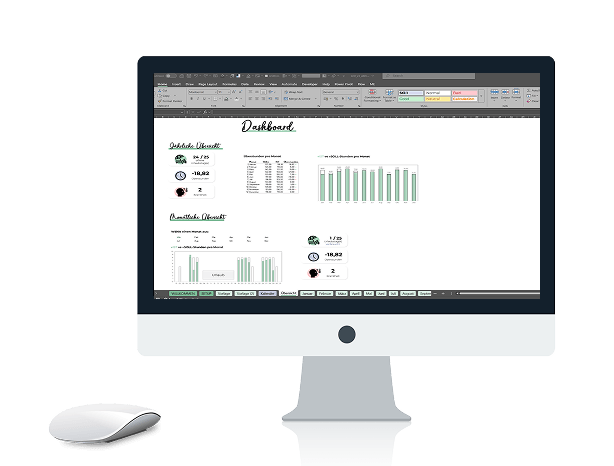
At MindfulExcel, you won’t find dry spreadsheets or boring screenshots. Every example is designed with visuals in mind — with clear layouts, real dashboards and a design that makes you want to keep learning. We believe visual learners progress faster. That’s why our examples don’t just work — they look good, too.
EXCEL TRAINING THAT MAKES A REAL DIFFERENCE
Level up — whether you’re learning on your own or with a team.
Whether you’re joining a live course as an individual or looking for tailored training for your company, you’ll find the right way to take your Excel skills to the next level here.
- For businesses
Corporate Training
Tailored Excel training for your team — online or at your workplace.
- A customised curriculum for your needs
- Online or at your workplace
- Practice files included
- From 4-hour workshops to multi-day training
- Certificate for every participant
- For individuals
Live Cohort
- Small group — max. 10 participants
- Practice assignments between sessions
- Live sessions with Q&A and direct feedback
- Recordings to keep
- Certificate upon completion
Our Courses at a Glance
1
Level • Beginner
Start here.
Excel for Beginners
16 lessons
2
Level • Advanced
From understanding to mastery.
🔥 MOST BOOKED
Advanced Excel
16 lessons
Dashboards with PivotTables
8 lessons
Game Changers
8 lessons
Get in touch and book your training today!
Master Excel
Our Courses in Detail

Beginner
- quick start
Excel for Beginners
duration:
16 lessons
Requirements:
None
Description:
You open Excel and don’t know where to start? Right here. We’ll build a solid foundation together, with best practices from day one. Learning Excel properly saves you hundreds of corrections later. After this course, you’ll work confidently and accurately, with habits that make you faster in the long run.
Course content
- Manage workbooks
- Format cells (currency, date, percentage)
- Basic formulas & functions: SUM, MAX, MIN, AVERAGE
- Absolute & relative references
- IF function
- Create charts
- Filter & sort lists
- Set up and print pages
- most booked
Advanced Excel

intermediate
duration:
16 lessons
Requirements:
Basic Excel knowledge
Description:
The most popular course — and for good reason. You won’t just learn new functions; you’ll finally understand the logic behind Excel. Why does a formula work the way it does? How do you think in Excel? Once you understand this, you can solve problems yourself instead of googling endlessly.
Course content
- XLOOKUP
- Advanced functions: SUMIFS, COUNTIFS
- Conditional formatting
- PivotTables & PivotCharts
- Introduction to Power Query
- Dropdowns & checklists
- Tips & tricks for working faster
- we love PivotTables
Dashboards with PivotTables

intermediate
Duration:
8 lessons
Requirements:
Basic Excel knowledge
Description:
PivotTables can do more than just sum values. In this course, you’ll turn them into clear, interactive dashboards that not only work but impress management, too. Clear, visual and easy to understand at a glance.
Course content
- PivotTables: fundamentals & advanced features
- PivotCharts & slicers
- Build dashboards step by step
- Layout tips for professional results
- Conditional formatting
- Data visualisation tips
- Connect with PowerPoint & Word
- next level
Game Changers
intermediate
Duration:
8 lessons
Requirements:
Good working knowledge of Excel
Description:
VLOOKUP is a thing of the past. These functions will change the way you use Excel — for good. XLOOKUP, LET, dynamic arrays and Power Query make your work more modern, faster and more reliable. With these tools, you can solve in minutes what used to take hours.
Course content
- Advanced lookup functions
- LET function
- Dynamic array functions
- Introduction to Power Query and importing data into Excel
- Error handling & robust formulas
- Real-world examples
- like a pro
Modern Excel Advanced

Advanced
Duration:
8 lessons
Requirements:
Advanced Excel + basic charting knowledge
Description:
There’s a difference between a dashboard that simply exists and one that impresses. Learn how to build the best dashboard you’ve ever seen in Excel: modern, interactive and easy to understand at a glance.
Course content
- Dynamic array functions: FILTER, UNIQUE, SORT
- Dynamic charts & ranges
- Interactive elements: checkboxes and dropdowns
- New lookup strategies with FILTER
- Advanced text functions & logical queries
- Mini dashboards & modern visualisations
- Power Query
Automation with
Power Query
Automation
Duration:
8 lessons
Requirements:
Advanced Excel
Description:
No more hours spent preparing data. Power Query automates what you’ve been doing manually — with no coding required. Set it up once and refresh it at the click of a button. Save time every week.
Course content
- Automated data cleaning
- Combine and merge data
- Combine data from a folder
- Reference data across Excel workbooks
- Connect to SharePoint
- Create dynamic queries
- Practical project: automated dashboard & reporting
- dynamic charts
Modern Dashboards & Reports
Duration:
8 lessons
Requirements:
Advanced Excel
Description:
There’s a difference between a dashboard that simply exists and one that impresses. Learn how to build the best dashboard you’ve ever seen in Excel: modern, interactive and easy to understand at a glance.
Course content
- Dynamic array functions as the engine
- Standout design principles
- Interactive controls — checkboxes and dropdowns
- Dynamic KPIs & charts
- Error-free, maintainable reports

Advanced
- charts... charts everywhere
Special Charts

Special
Duration:
8 lessons
Requirements:
Advanced Excel + basic charting knowledge
Description:
Anyone can make a basic bar chart. This course teaches you standout business charts that go far beyond Excel basics. You’ll learn not just which chart types exist, but how they really work. Once you understand the principles, you can build any chart in Excel. No add-in, no Power BI — just Excel, used creatively.
Course content
- Waterfall charts
- Bullet charts
- Lollipop charts
- Heatmaps
- Waffle charts
- Chart design fundamentals
- Reusable chart templates
- AI tools
Excel × AI — ChatGPT,
Copilot & Claude
Excel x AI
Duration:
4 lessons
Requirements:
Basic Excel knowledge
Description:
AI is changing the way we work with Excel — but which tool does what, and what is genuinely useful in everyday work? In this practical, honest, hype-free course, you’ll compare ChatGPT, Microsoft Copilot and Claude in the context of Excel. You’ll leave with a clear understanding of which tool to use, and when.
Course content
- ChatGPT, Copilot & Claude compared directly
- Generate formulas & code with AI
- Analyse & summarise data
- Find errors and get explanations
- Prompts that really work
- Limitations & pitfalls of AI tools
Masterclass
Excel Design Masterclass
Most Excel files look like Excel. Yours won’t. Learn to design spreadsheets and dashboards that are clear, visual and genuinely beautiful.
- Modul 1
Design Principles for Data People
Colour, contrast, typography and white space — the fundamentals that make every design feel intentional and considered.
- Modul 2
Dashboards, Reports & Excel Tools
Layouts, visual hierarchy and the Excel tools that bring your dashboards and reports to life.
- Modul 3
Your Excel Design System
Templates, colour palettes and reusable components to keep every file consistent and professional.
Next live cohort: date to be announced. Join the list to be among the first to hear about it.
Live Courses
Upcoming dates
Small groups, live sessions and personal feedback. Places are limited — reserve yours before they’re gone.
- Live · Vienna
- Spots available
Automation with Power Query
In-person course in Vienna
START
January 21, 2027
Dauer
1 day · 8 hours
Sessions (CET)
1.
January 21, 2027
09:00-17:00
€ 420
per person · incl. 1h live Q&A
- Live · Online
- Spots available
Modern Excel
Live sessions with personal feedback
START
February 18, 2027
Dauer
4 weeks · 4 sessions
Sessions (CET)
1.
February 18, 2027
10:00-12:00
2.
February 25, 2027
10:00-12:00
3.
March 4, 2027
10:00-12:00
4.
March 11, 2027
10:00-12:00
€ 420
per person · incl. 1h live Q&A
More live courses coming — Dashboards, Design Masterclass & more
Sign up to be notified as soon as new dates are announced.
What Our Customers Say
What my customers say
Absolutely knowledgeable and friendly, and she took our wishes and concerns into account. She answered all our questions brilliantly and took the time to explain everything once again.
An exceptionally knowledgeable and friendly trainer. I’d gladly book another course with her — perhaps even the advanced course. Highly recommended!
Laura created a very pleasant working environment and an excellent learning atmosphere. I would take the course again anytime and highly recommend it.
Everything worked wonderfully. The course content was well structured, and attention was paid to the pace and needs of the group. The trainer was highly competent and explained the material in a way that anticipated potential difficulties.
Absolutely knowledgeable and friendly, and she took our wishes and concerns into account. She answered all our questions brilliantly and took the time to explain everything once again.
An exceptionally knowledgeable and friendly trainer. I’d gladly book another course with her — perhaps even the advanced course. Highly recommended!
Laura created a very pleasant working environment and an excellent learning atmosphere. I would take the course again anytime and highly recommend it.
Everything worked wonderfully. The course content was well structured, and attention was paid to the pace and needs of the group. The trainer was highly competent and explained the material in a way that anticipated potential difficulties.

Your Excel Trainer
Hi, I’m Laura. As a Microsoft Office Specialist, I teach the MindfulExcel courses. In my training sessions and projects, I show how Excel can make sense, how work can become easier, and how data can bring real clarity. So Excel can finally do what it’s meant to do: work for you.
FAQ
Frequently Asked Questions
If you have any other questions, feel free to send me a message.
Do I need Microsoft 365, or is an older version enough?
For most courses, I recommend Microsoft 365 or Excel 2021 or later. Many new features are only available in these versions.
Can I take part using a Mac?
Unfortunately, no. My courses are optimised for Windows, as some features are missing or look different on a Mac.
What technical requirements do I need?
A Windows PC or laptop, a stable internet connection and Excel (see question 1). For online courses, a camera and microphone are useful but not required.
What materials will I receive after the course?
You’ll receive all the practice files we use together, as well as a handout covering the key content.
Will I receive a certificate?
Yes. After each course, you’ll receive a certificate of attendance documenting your new Excel skills.
Can I bring my own data?
Yes. Please let me know when you book so we can check whether your data is suitable for the course.
What if I’m not sure which level is right for me?
No problem — just get in touch. We’ll work out together which course is the best fit for you.